Xcode 默认配置两种标准的 configuration: Debug 和 Release
,可以在 Project -> Info -> Configurations section 页面找到。Rlease 做了编译优化,不能断点调试,但是运行速度较 Debug 包更快,且体积更小。
一般情况下不需要配置额外的 configuration, 但若想 QA 同学同时装线上包和 Debug 包,或者需要区分各种测试/灰度/正式环境,那配置多种 configuration 是非常必要且方便。
配置 Configurations
在 Project -> Info -> Configurations section,直接复用 Debug 创建 DailyBuild。也可以复用 Release 创建 Store 包。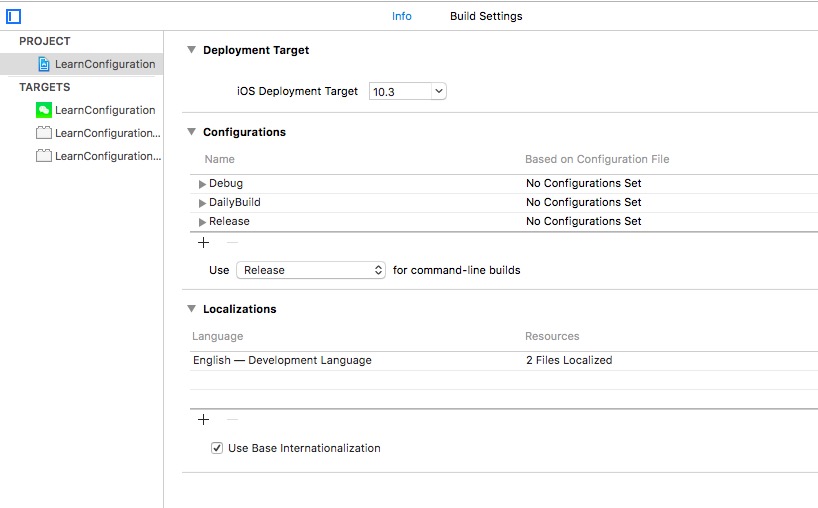
配置 Preprocessor macros
在 Target -> BuildingSetting 中搜索 Preprocessor macros, 可以在不同的 configuration 中定义宏,如 DEBUG = 1.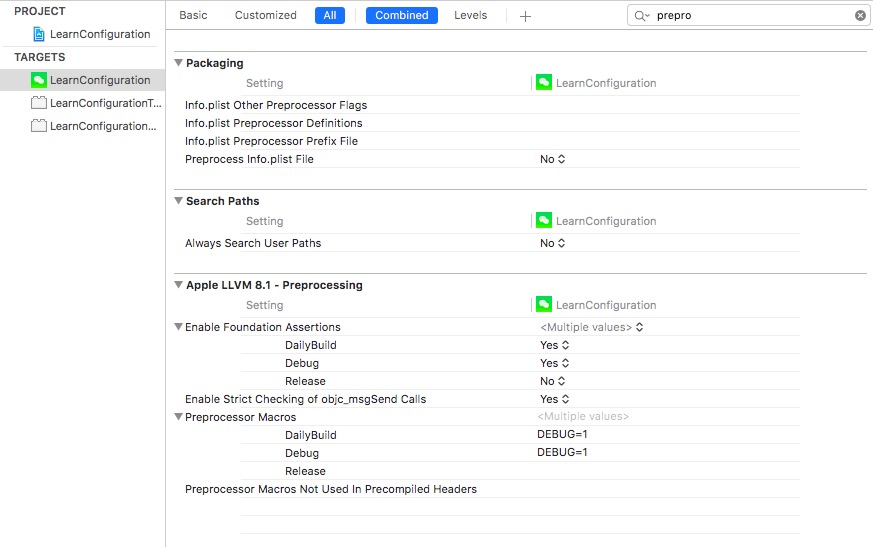
在代码中即可获取预定义的宏。
配置 Display name
在 Target -> Info 中添加
|
|
然后在 Target -> Info 中定义 APP_DISPLAY_NAME,分别指定每个 configuration 对应的名字即可。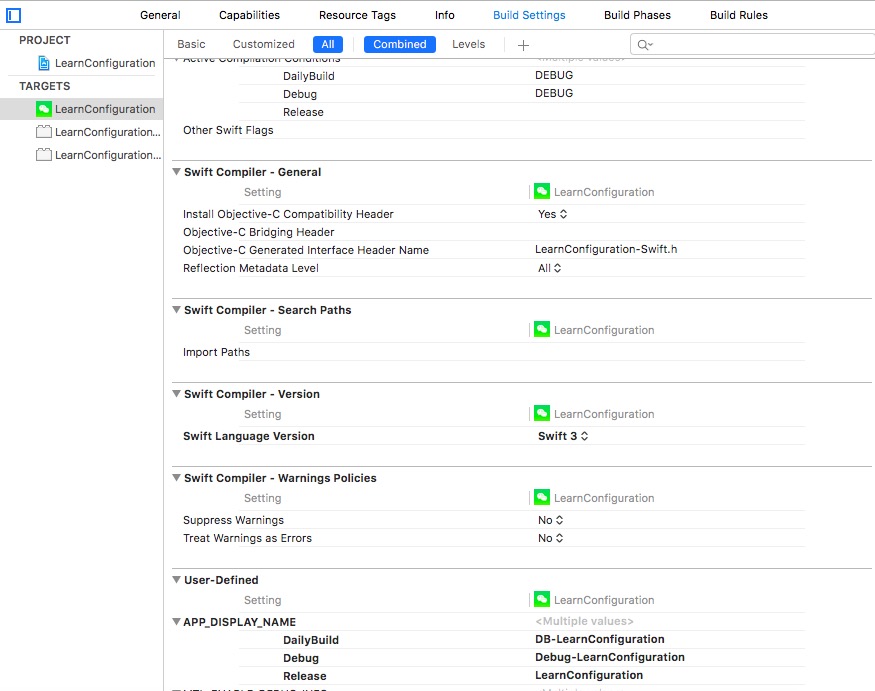
配置 App icon
在 Target -> Build Settings 里搜索 Asset Catalog App Icon Set Name, 配置对应的 asset 名称即可。

配置环境变量
配置
在 Target -> Info 中定义 Configuration,运行时获取 configuration。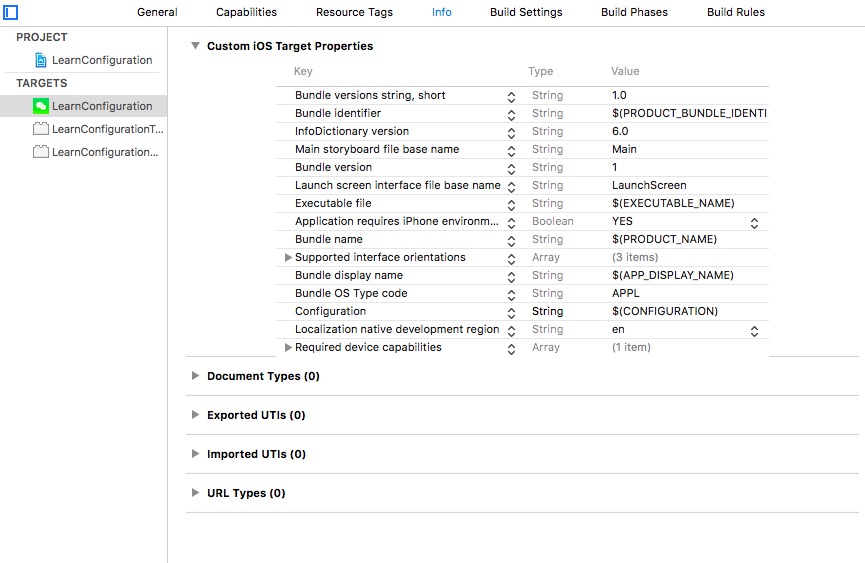
然后可以创建 Configuration.swift, 定义如下。
|
|
测试
在 ViewController 的 viewDidLoad 中添加如下代码,更新 scheme 为 dailybuild 或 debug 等,console 会打印对应的 baseURL 和 token。
|
|
参考
- https://cocoacasts.com/switching-environments-with-configurations/
- https://medium.com/@danielgalasko/run-multiple-versions-of-your-app-on-the-same-device-using-xcode-configurations-1fd3a220c608
- https://medium.com/@danielgalasko/change-your-api-endpoint-environment-using-xcode-configurations-in-swift-c1ad2722200e
- http://www.jianshu.com/p/51a2bbe877aa